Rokae xMate ROS2 User Manual
| Item | Description |
|---|---|
| Document Name | Rokae xMate ROS2 User Manual |
| Applicable Products | Rokae xMate collaborative / industrial robot series (see "Supported Models") |
| Platform | Ubuntu 22.04 LTS, x86_64 |
| ROS2 Distribution | Humble |
| Document Version | V0.0.2 (adapted to ROS2 package v0.0.2) |
| Release Date | 2026/04/10 |
Document Information
Revision History
| Version | Date | Notes |
|---|---|---|
| V0.0.2 | 2026/04/10 | Full restructuring based on the original rokae ros2使用手册.md: unified chapter structure, table format, and terminology; added servej example code. |
Scope and Target Readers
This manual explains how to obtain, build, and run the Rokae ROS2 (rokae_ros2) packages in a ROS2 Humble environment, and how to get started with simulation and real-hardware integration using ros2_control + MoveIt 2.
Target readers: developers who already understand ROS2 basics (workspace, node, topic, service, launch) and want to integrate Rokae xMate robots into their own applications.
Important Notes
- This document is updated together with the open-source / delivered packages. For exact interfaces and parameters, refer to source code and
package.xmlin the repository. - Operations related to robot motion, real hardware networking, and safety must be performed under qualified supervision.
Chapter 1 Overview
1.1 Introduction to ROS2
ROS2 (Robot Operating System 2) is an open-source middleware stack for robotics. Compared with ROS 1, ROS2 improves real-time capability, security, lifecycle management, and cross-platform support.
Key differences from ROS 1:
- Decentralized communication: DDS-based discovery and data transport, less dependency on a central
roscore. - Node lifecycle: standardized
configure / activate / ...states for industrial integration. - Build system: ament + colcon workflow, replacing catkin.
1.2 Purpose and Scope
Purpose
This manual provides guidance for installation, compilation, and environment setup of Rokae ROS2 packages, and basic operation steps for MoveIt 2 + ros2_control in simulation and on real robots.
Scope
Current package versions cover the following xMate models (future versions may expand, and users can adapt additional models using the same approach):
1.3 Supported Models
| Series | Model IDs (robot_type, etc.) |
|---|---|
| AR | xMateAR5L, xMateAR5R |
| CR | xMateCR7, xMateCR12, xMateCR18, xMateCR20 |
| ER | xMateER3, xMateER7 |
| Pro | xMatePro3, xMatePro7 |
| SR | xMateSR3, xMateSR4, xMateSR5 |
Chapter 2 Installation and Environment
2.1 Hardware and OS Requirements
Rokae ROS2 is mainly developed and validated on Ubuntu 22.04 LTS + ROS2 Humble. Other distributions or ROS versions may be incompatible.
| Component | Minimum / Recommended | Notes |
|---|---|---|
| CPU | 64-bit Intel i5 / i7 or equivalent AMD; 8+ cores recommended | 1000 Hz real-time mode is compute-sensitive |
| Memory | 8 GB; 16 GB recommended | MoveIt 2 and RViz2 consume significant memory |
| Disk | >= 20 GB free space | SSD significantly reduces build/startup time |
| GPU | CUDA-capable NVIDIA GPU (optional) | Not required |
2.2 Install ROS2 and Dependencies
- Install ROS2 Humble (see official documentation).
- Install common dependencies for this package:
sudo apt update
sudo apt install ros-humble-moveit
sudo apt install ros-humble-controller-manager
sudo apt install ros-humble-joint-state-broadcaster
sudo apt install \
  ros-humble-joint-state-publisher \
  ros-humble-forward-command-controller \
  ros-humble-effort-controllers \
  ros-humble-velocity-controllers \
  ros-humble-position-controllers \
  ros-humble-joint-trajectory-controller
If dependencies are still missing, install according to error prompts using sudo apt install ros-humble-<package>.
source /opt/ros/humble/setup.bash
2.3 Create Workspace and Build
mkdir -p ~/ros2_ws/src
# Copy rokae_ros2 packages to ~/ros2_ws/src
cd ~/ros2_ws
colcon build
Add environment setup (recommended in ~/.bashrc):
source /opt/ros/humble/setup.bash
source ~/ros2_ws/install/local_setup.sh
source ~/ros2_ws/install/setup.bash
Chapter 3 Package Structure
3.1 Workspace Top-level Directories
doc/
rokae_description/
rokae_hardware/
rokae_msgs/
rokae_xMateAR5L_moveit_config/
... (other model-specific MoveIt config packages)
3.2 rokae_hardware Package Layout
CMakeLists.txt
config/
include/
launch/
package.xml
rokae_hardware_interface.xml
sdk/
src/
3.3 Main Source Files in rokae_hardware/src
| File | Description |
|---|---|
connect_test.cpp | Network performance analysis test |
movej_client.cpp | movej client example |
movej_moveit_test.cpp | MoveIt-based movej example |
rokae_driver.cpp | ROS2 service wrapper for 6-axis models |
rokae_driver7.cpp | ROS2 service wrapper for 7-axis models |
rokae_hardware_interface.cpp | ros2_control SystemInterface implementation |
Chapter 4 Architecture and Quick Start
4.1 ROS2 Control Architecture
This package follows the standard ROS2 Control architecture:
| Category | Location | Purpose |
|---|---|---|
| Controller config | rokae_hardware/config/*.yaml | Declares joint_state_broadcaster, joint_trajectory_controller, etc. |
| Robot description | rokae_description/urdf/*.xacro | Defines joints and hardware plugin params via <ros2_control> |
| Hardware interface plugin | rokae_hardware/src/rokae_hardware_interface.cpp | Calls vendor SDK and implements read / write |
4.2 RViz + MoveIt 2 Planning with Real Robot
Prerequisites:
- MoveIt 2, ros2_control, and package dependencies installed.
- Correct network setup (
robot_ip,local_ip).
Launch example:
ros2 launch rokae_hardware rokae_moveit_launch.py \
  robot_type:=SR4 \
  use_fake_hardware:=true \
  robot_ip:=192.168.2.160 \
  local_ip:=192.168.2.1
Parameter notes:
| Parameter | Meaning |
|---|---|
robot_type | Model shorthand, e.g. SR4, CR7, AR5L, AR5R, ER7, Pro7 |
robot_ip | Robot controller IP |
local_ip | PC IP for the NIC connected to controller |
use_fake_hardware | true: simulation mock_components/GenericSystem; false: real hardware plugin |
Recommendation: validate MoveIt and controller chain with use_fake_hardware:=true first, then switch to real hardware.
4.2.4 RViz Planning Operation Tips
- The yellow model is the target pose, white is the current pose, and semi-transparent gray is the start pose.
- Drag the interactive marker (end-effector sphere), or use MotionPlanning -> Joints to modify target joint angles.
- Click Plan & Execute to generate and execute the trajectory.
- For repeated planning, drag the end marker again to refresh target values in the Joints panel.
- Speed scaling: MotionPlanning -> Planning -> Options -> VelocityScaling (0-1).
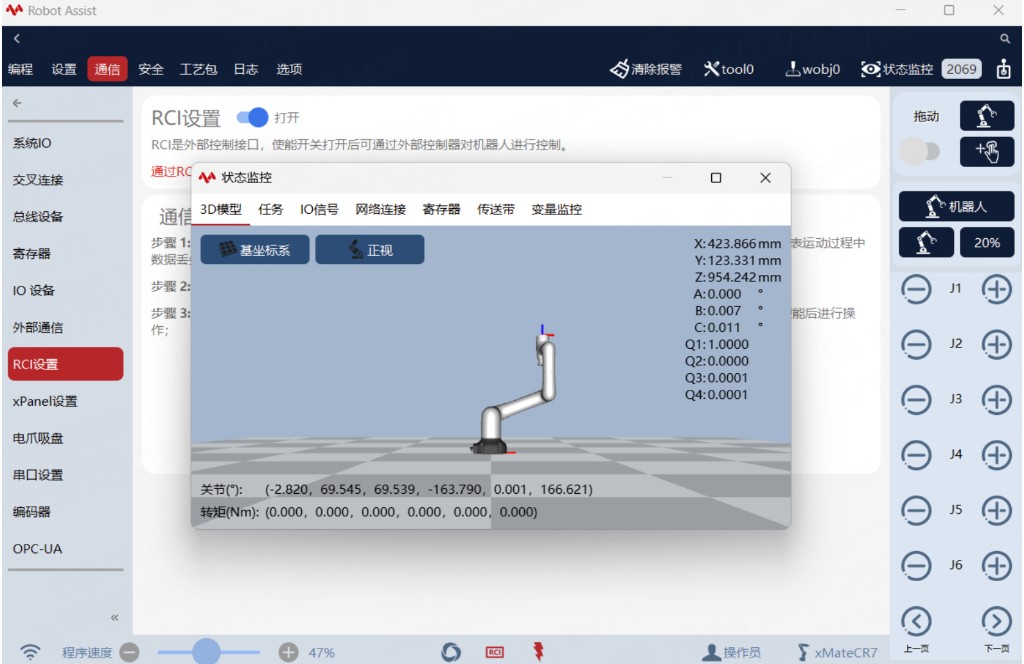
Figure 1 HMI Status Monitor
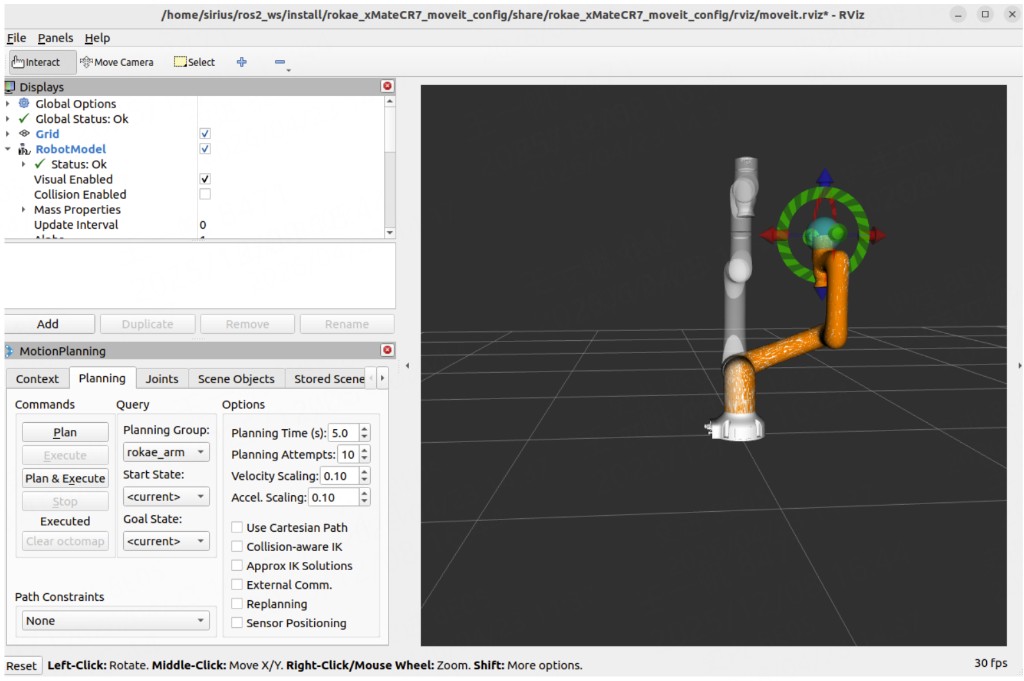
Figure 2 RViz Visualization
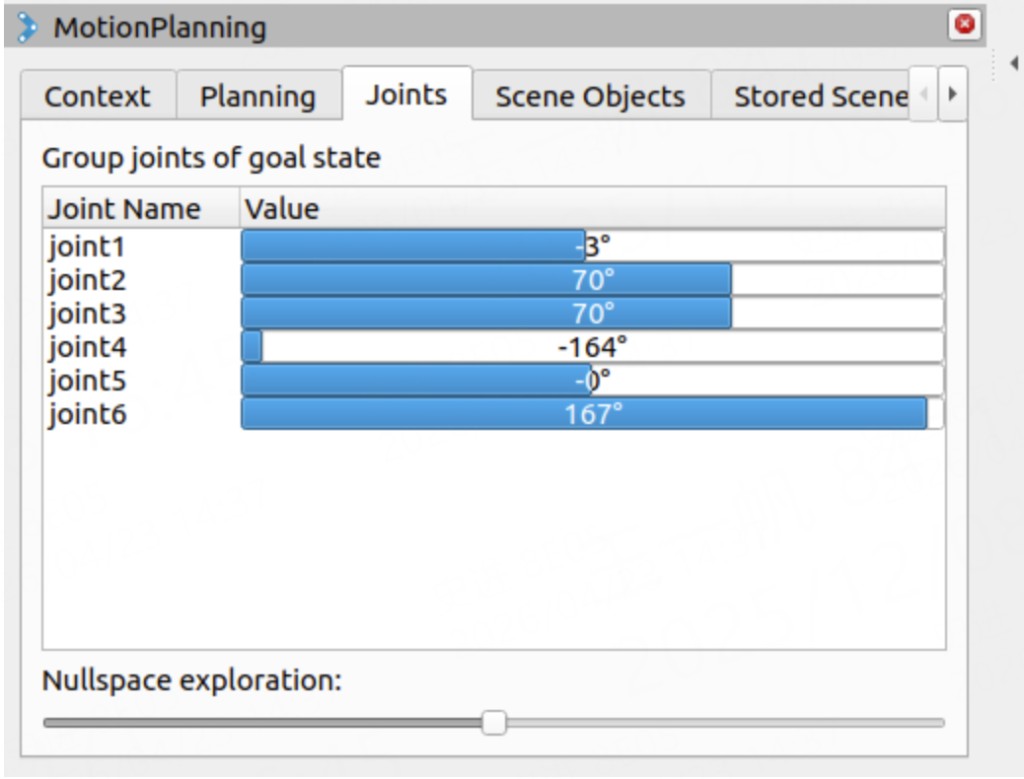
Figure 3 Set target position via MotionPlanning -> Joints
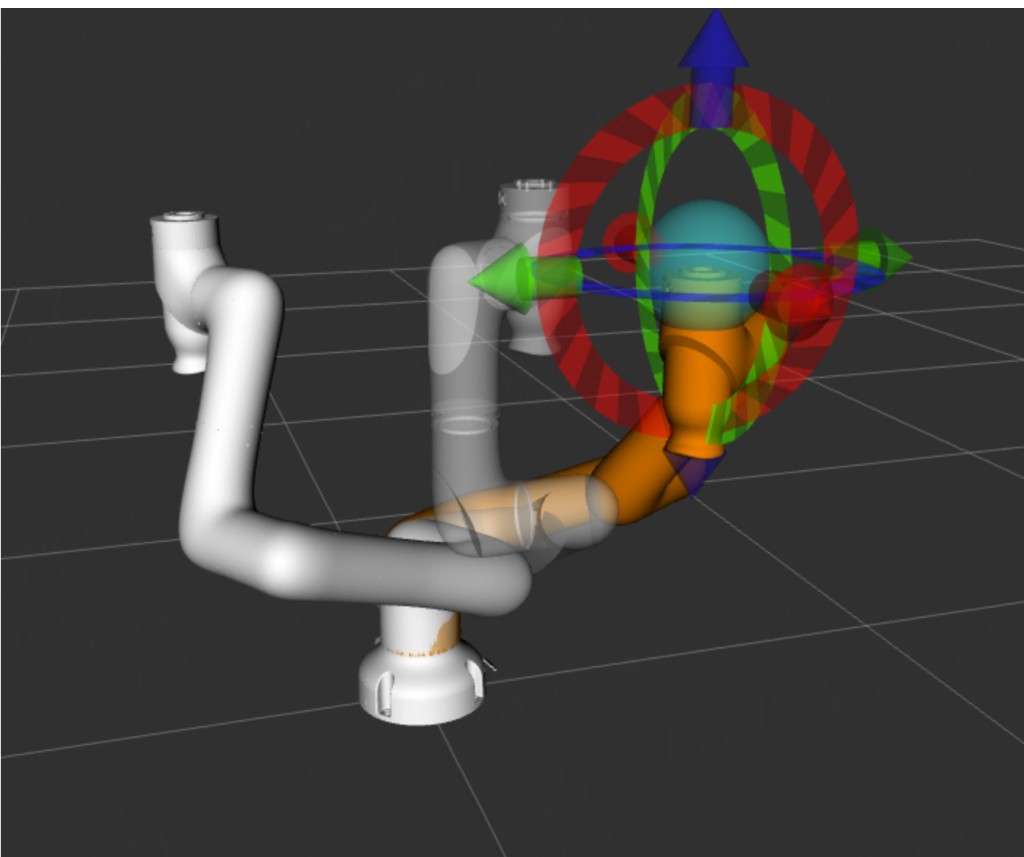
Figure 4 RViz target pose and current pose
4.3 MoveIt-based movej Example
ros2 launch rokae_hardware controll_movej.launch.py robot_type:=SR4
Key points in movej_moveit_test.cpp:
- Set pose reference frame to model-specific base frame.
- Joint target vector dimension must match DOF.
- MoveGroup name must match
<group name=\"...\">in SRDF.
4.4 Common Nodes / Topics / Actions
Node commands:
ros2 node list
ros2 node info /<node_name>
Topic commands:
ros2 topic list
ros2 topic info /<topic_name>
ros2 topic echo /<topic_name>
Action commands:
ros2 action list
ros2 action info /<action_name>
4.5 rokae_driver Interfaces
rokae_driver / rokae_driver7 wrap part of xCore APIs as ROS2 Services and Topics.
Typical services:
/rokae_driver/get_robot_info/rokae_driver/jog_control/rokae_driver/drag_control/rokae_driver/calculate_fk/rokae_driver/calculate_ik/rokae_driver/movej,/movel,/movec/read_register,/write_register
Typical topics:
/rokae_driver/joint_states/rokae_driver/cartesian_pose
Startup examples:
ros2 run rokae_hardware rokae_driver --ros-args \
  -p robot_ip:=192.168.2.160 -p local_ip:=192.168.2.100

ros2 launch rokae_hardware rokae_driver.launch.py \
  robot_ip:=192.168.2.160 local_ip:=192.168.2.100
Service call example:
ros2 service call /rokae_driver/get_robot_info rokae_msgs/srv/GetRobotInfo
Chapter 5 Extension and Customization
5.1 Adapt New Robot Models
- Add new URDF / xacro, meshes, and collision models in
rokae_description. - Update
rokae_description/urdf/xMate.urdf.xacroandxMate_macro.xacro; add corresponding*.ros2_control.xacro. - Use MoveIt Setup Assistant to generate the new model's
*_moveit_configpackage and align file organization with existing model packages.
Appendix A Glossary
| Term | Description |
|---|---|
robot_type | Model shorthand in launch files; used to select URDF, controller YAML, MoveIt config package |
use_fake_hardware | Whether to use simulation GenericSystem plugin |
flangeInBase | SDK coordinate type: flange relative to base frame |
endInRef | SDK coordinate type: tool/end-effector relative to reference frame |
Appendix B Feedback and Support
If document content differs from code behavior, always refer to the latest repository version.
When reporting issues, include: ROS2 distribution, Ubuntu version, robot model, robot_type, full launch command, and terminal logs.